
Download YouTube HD Transfer – YouTube, HD, video, download, offline, quality, format, transfer, tool, utility
Overview
YouTube HD Transfer is a mobile application designed to streamline the process of downloading videos from YouTube for offline access. The app serves as a practical tool for users who wish to save content for later viewing without relying on a constant internet connection. This functionality is especially valuable for travelers, commuters, or individuals in regions with limited or unreliable network connectivity.
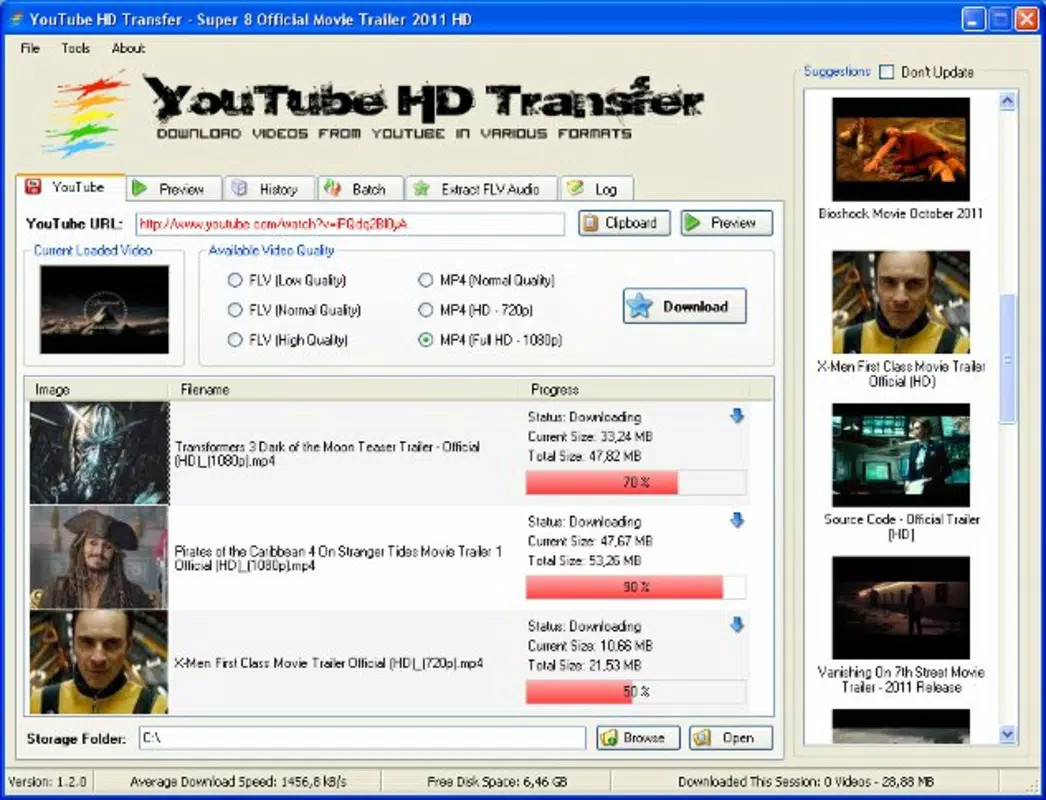
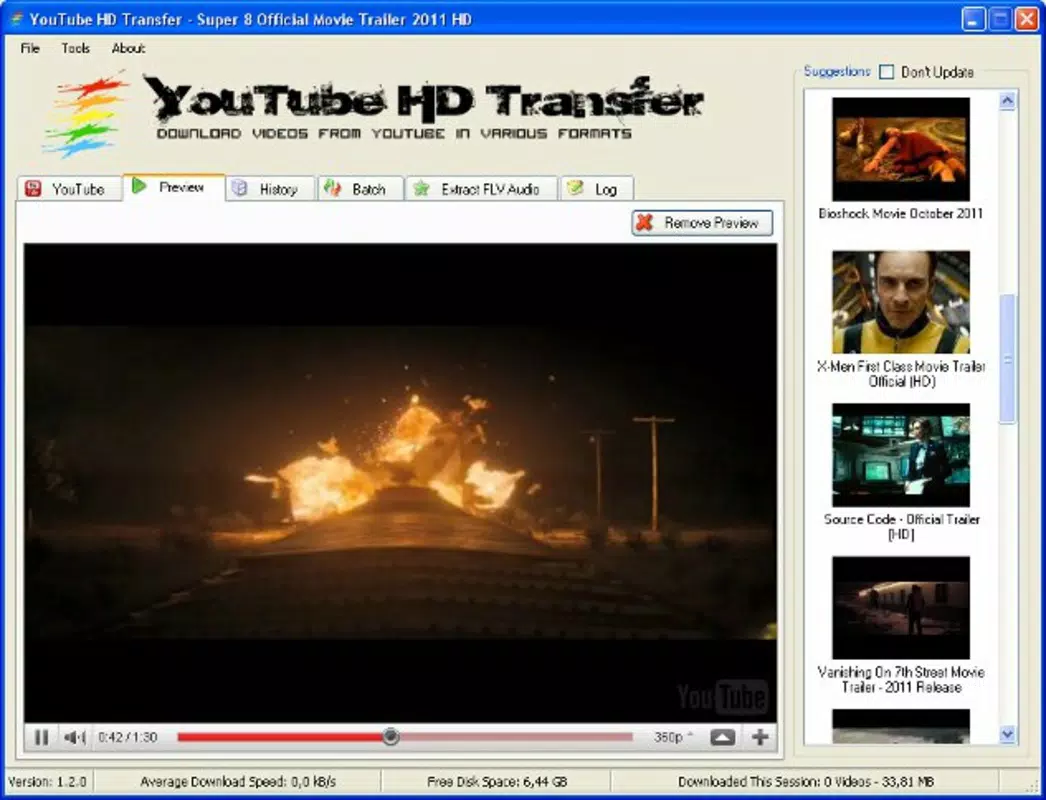
By enabling users to copy a video URL and initiate a download with minimal steps, the app reduces friction in content preservation. It supports multiple quality and format options, allowing users to tailor downloads to their device capabilities and bandwidth preferences. The inclusion of a preview feature enhances usability by letting users verify content before committing to a download, improving efficiency and reducing unnecessary data usage.
While the developer is listed as "YouTube HD Transfer," no further background information is available. The app falls under the Productivity category, reflecting its utility in personal content management. Despite not being affiliated with YouTube, it functions as a third-party tool that addresses a common user need: offline video access.
Its long-standing presence since 2010 suggests a stable, well-established utility in the mobile ecosystem.
Key Features & Functionality
- Easy Video Downloading: Users can copy any YouTube video URL and paste it directly into the app to begin the download process. The interface is optimized for simplicity, requiring only a few taps to initiate a download, making it accessible to non-technical users.
- Multiple Quality Options: The app allows users to select from various video quality levels, including HD and standard formats. This flexibility ensures compatibility with different devices and network conditions, enabling optimal playback performance across smartphones and tablets.
- Preview Feature: Before downloading, users can preview the video within the app. This feature helps confirm content accuracy, avoid unwanted downloads, and explore related videos that may be of interest.
- User-Friendly Interface: The layout is clean and intuitive, with clearly labeled buttons and minimal onboarding steps. This design supports both beginners and experienced users, reducing the learning curve and enhancing overall satisfaction.
- Offline Viewing Capability: Once downloaded, videos can be accessed without an internet connection. This feature is ideal for long flights, remote locations, or data-conscious users who want to avoid mobile data charges.
For example, a student preparing for a trip can download educational videos in HD for offline review. A content creator might use the app to save reference clips for later analysis. The ability to preview content before downloading also prevents wasted storage space on devices with limited capacity.
Interface, UX & Performance
The app features a minimalistic interface focused on core functionality: URL input, quality selection, and download initiation. Navigation is linear and predictable, with essential actions grouped in a central panel. The visual style is functional rather than decorative, prioritizing clarity and usability.
Users can expect a consistent experience across different screen sizes, though specific performance benchmarks were not disclosed. Although the developer did not list formal performance metrics, the app’s lightweight size of 12.4 MB suggests efficient resource usage. Responsiveness appears adequate for basic operations, with quick loading times for the preview function and download queue management.
Stability is implied by the app’s long availability since 2010, though real-world crash reports or usage patterns were not provided. The app does not require complex permissions beyond storage access, which is standard for download tools. Overall, the user experience is designed around speed and simplicity, minimizing user effort while maximizing utility.
Platform Compatibility & Technical Requirements
YouTube HD Transfer is available exclusively on the Android platform. The current version is 1.5.8, with a file size of 12.4 MB, indicating a lightweight installation. The developer did not specify minimum OS requirements or compatibility details for older or newer Android versions.
As such, users should ensure their device meets general Android system standards to avoid installation issues. The app is free to download and install, making it accessible to a broad audience. No additional hardware or software dependencies were mentioned.
Compatibility with specific devices or screen resolutions was not disclosed. Users are advised to verify functionality on their individual devices, especially if using older Android versions. The absence of detailed technical specifications does not detract from the app’s core purpose but underscores the importance of testing on target devices.
Pros and Cons
Pros
- Simple and intuitive interface suitable for all user levels
- Supports multiple video quality and format options
- Includes a preview feature to verify content before downloading
- Enables offline viewing without internet dependency
- Free to download and use with no in-app purchases
Cons
- Developer did not provide detailed technical specifications or OS requirements
- Platform availability is limited to Android only
- No information on update frequency or future development plans
- May not support newer YouTube video formats or encryption methods over time
- File size, while small, may still impact storage on low-capacity devices
FAQ
Is YouTube HD Transfer safe to use?
The app is designed as a third-party tool for downloading YouTube content. While it does not require excessive permissions, users should ensure they comply with YouTube’s Terms of Service when downloading videos. Always use such tools responsibly and for personal, non-commercial purposes.
Can I download videos in HD quality?
Yes, YouTube HD Transfer allows users to select high-definition video quality options. The available quality levels depend on the source video and the app’s current capabilities.
Does the app work on iOS devices?
Currently, YouTube HD Transfer is only available for Android. There is no official iOS version or indication of future support.
How do I update the app?
Updates are typically delivered through the Google Play Store. Users should check for updates in their app store account or enable auto-updates for the latest version.
Do I need an internet connection to use the app?
An internet connection is required to copy the video URL and initiate downloads. However, once a video is downloaded, it can be viewed offline without any network access.
Final Thoughts
YouTube HD Transfer remains a reliable utility for Android users seeking a straightforward way to download and save YouTube videos for offline viewing. Its clean interface, multiple quality options, and preview function make it a practical choice for students, travelers, and content enthusiasts. While it lacks detailed technical disclosures and is limited to Android, its core functionality is well-executed and consistent with user expectations.
The app’s free pricing model enhances its accessibility, and its long-standing presence suggests ongoing reliability. For anyone looking to manage YouTube content efficiently on a smartphone, this tool delivers tangible value. Download YouTube HD Transfer now.


